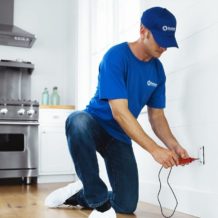
We are excited to announce that a long time Master Craftsman of our business is now the proud new owner; please join us in congratulating Earl Swader as the new owner of Handyman Connection of Blue Ash. Earl has previous business ownership already under his belt and is looking forward to continuing to serve the Blue Ash community as the proud owner.

Home Maintenance>Repairs / May 20, 2026

A smart home involves multiple digital layers, and it can be overwhelming to consider all the entry points for potential privacy issues. Fortunately, there’s no need to dedicate hours to ensuring the safety of your privacy, since it can take only 20 minutes for you to complete a quick check-up and feel at ease.
Here’s what you can do to enhance your smart home security:
While default passwords may seem easy to remember, using them puts your security at risk, as hackers can easily guess them and access your devices.
Therefore, you need to change your password on all devices, including those connected via the Wi-Fi network. Make sure you choose something that contains numbers, uppercase letters, lowercase letters, and symbols.
Since your Wi-Fi connection is the core of your smart home, it’s vital to ensure its safety and protect all devices connected to it. Make sure you’re using the most advanced security protocol currently available, which is WPA3. It’ll ensure that all information shared is encrypted to the maximum extent. If your router supports only WPA2, it’ll also do its job quite well.
Your public IP address can reveal your approximate location and internet provider, which may be used to target your network. It’s worth periodically checking what information your IP exposes. To see what your IP address reveals, click here. If you want to limit this exposure, consider using any software that masks your real IP address and encrypts your internet traffic.
If you’re leaving your devices on all the time, you’re leaving them open to being accessed by others through the internet connection. Moreover, if you don’t need a smart speaker, camera, or any other equipment, you’d better switch them off or unplug them altogether. This way, it’ll save you electricity and won’t allow anyone to access it when your devices are idle.
For each application controlling your smart home equipment, you must grant certain permissions to access particular data. To minimize such access and reduce the risk of data leaks, review all permissions and revoke access for any features that don’t need it. However, be cautious about doing so, as some permissions are needed for the app to function.
Like any other piece of technology, a smart home product requires regular updates that provide users with improvements, bug fixes, and added security. Make sure all your devices are running the latest version of their software. You can usually update them through the app that controls your devices.
You can add an extra layer of security to your account by enabling two-factor authentication on your smart home platform or app. It’s an easy step, but the impact is significant. Even if your password is stolen, no one will be able to access your account without entering a second code, typically generated through an authenticator app or, as a less secure alternative, sent via SMS.
Voice assistants like Alexa, Google Assistant, and Siri can pose security risks if not properly managed. Make sure to disable the “always listening” feature and voice purchases. Additionally, if you’re not using the assistant, it’s best to mute it entirely, as Google recently agreed to a settlement over claims that it had secretly listened to people’s private conversations across various smart devices.
For almost every smart device in your home, you’re able to manage the list of people who may use it and grant them the necessary permissions. Therefore, to ensure that everyone is using it safely, review the list and delete access to people who no longer need it or remove the device from the list yourself if needed.
If you often have guests over, it’s a good idea to create a guest network to prevent anyone from accessing your smart devices without permission. Although it’ll mean that you have to set up a network separately, it’s rather easy to do and will guarantee you an additional barrier in return.
In just 20 minutes, you can give your smart home a privacy check-up. Changing passwords, updating software, and reviewing permissions are simple tasks that make a big impact. Your smart home can be a great part of your daily life, and with a few steps to secure it, you can keep it that way. Stay safe and enjoy the convenience of your devices without worrying about privacy issues.

11115 Kenwood Rd.
Blue Ash, OH 45242

© Handyman Connection 2026 | Privacy Policy

 (513) 771-3950